
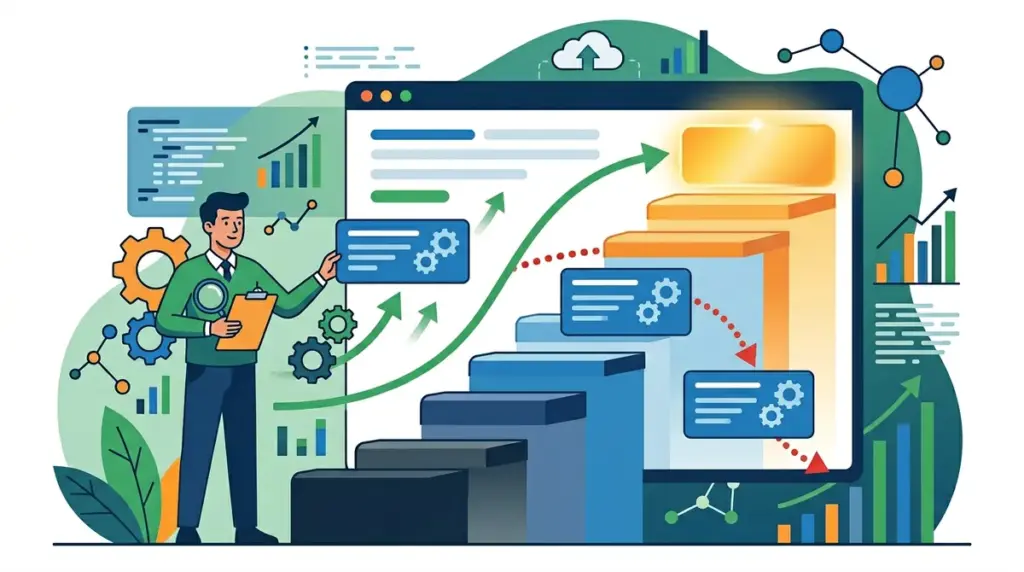
Moving from the top three positions to the second page of Google is more than a minor fluctuation; it is a revenue-draining event. Data suggests that the top three results capture approximately 55% to 60% of all clicks, while the entirety of page two struggles to break 1%. When a high-value keyword slips to position 11 or lower, the organic traffic for that specific term essentially vanishes. Recovery requires moving past generic SEO "best practices" and performing a forensic analysis of why the algorithm or the user base shifted their preference toward a competitor.
Diagnosing these drops involves identifying whether the issue is technical decay, content obsolescence, or a shift in search intent. If your technical foundation is sound, the culprit is often "content decay" or a competitor leveraging better internal link equity. To regain those lost positions, you need tools that provide granular, daily data and deep competitive insights. The following platforms are the industry standards for identifying the root cause of ranking drops and executing a recovery strategy.
Critical Criteria for Recovery Tools
When selecting a tool to diagnose a ranking drop from the top 3 to page 2, you cannot rely on monthly or weekly updates. You need daily tracking to correlate drops with specific site changes or algorithm updates. Look for tools that offer "SERP snapshots," which allow you to see exactly what the search results looked like on the day you held the top spot versus what they look like now. This visual evidence reveals if Google has introduced a new SERP feature—like a Featured Snippet or a People Also Ask block—that pushed your organic result down, or if a competitor has simply produced a more comprehensive resource.
1. Ahrefs
Ahrefs is the primary choice for diagnosing drops related to backlink profiles and content gaps. When a keyword slips to page 2, the "Site Explorer" allows you to compare your URL against the new top 3 competitors. By using the Content Gap tool, you can identify specific subtopics or semantic keywords that your competitors are now covering which you are not. This is often the difference between a "good" page and a "top 3" page. The platform’s "Rank Tracker" also provides a "Position Distribution" report, which visualizes exactly how many keywords moved from the top 3 to the 4-10 or 11-50 brackets, helping you determine if the drop is isolated or site-wide.
Best for: Identifying lost backlink equity and uncovering subtopic gaps that competitors are exploiting to leapfrog your rankings.
Pros: The link index is updated more frequently than most competitors, allowing you to see if a lost high-authority link caused the ranking drop. The "Site Audit" tool also flags "Internal Link Opportunities," which is the fastest way to push a page from position 12 back into the top 3 by redistributing existing authority.
Cons: The credit-based pricing model can become expensive for agencies managing large-scale recovery projects that require frequent data refreshes.
Verdict: Ahrefs is indispensable for the "discovery" phase of recovery. If you don't know why you dropped, its backlink and content gap data will usually provide the answer.
2. Semrush
Semrush excels at real-time volatility monitoring. Its "Sensor" tool tracks SERP turbulence across different industries, helping you distinguish between a site-specific issue and a broad Google algorithm update. For page 2 recovery, the "On-Page SEO Checker" is the most practical feature; it analyzes the current top 10 performers and provides a prioritized list of tasks—such as increasing word count, adding specific video content, or improving meta tags—to make your page more competitive. This takes the guesswork out of why your content is no longer deemed "top 3" quality.
Best for: Competitive benchmarking and distinguishing between site-wide penalties and niche-specific algorithm shifts.
Pros: The "Position Tracking" tool allows for hyper-local tracking down to the ZIP code level, which is vital if your ranking drop is only occurring in specific geographic markets. Its "Social Media Tracker" can also help determine if a competitor’s viral engagement is influencing their organic lift.
Cons: The user interface can feel cluttered, making it difficult for junior SEOs to find the specific "recovery" metrics without significant training.
Verdict: Use Semrush when you need a "to-do list" for recovery. It translates complex SERP data into actionable content and technical recommendations.
3. Screaming Frog SEO Spider
Ranking drops are often caused by "silent" technical errors that search engines encounter during crawling. Screaming Frog is a desktop-based crawler that allows you to perform a deep dive into the specific URL that dropped. It helps identify if the page has become too slow (Core Web Vitals), if it’s suffering from "near-duplicate" content issues, or if internal links to that page have been broken or redirected. When a page falls to page 2, it is often because the "crawl depth" has increased, meaning it takes more clicks to reach the page from the homepage than it did previously. Screaming Frog identifies these structural shifts instantly.
Best for: Technical forensics and identifying structural site changes that have diluted the authority of high-performing pages.
Pros: It allows for custom extraction, meaning you can scrape the "last updated" dates of your competitors' pages to see if they are out-pacing you on content freshness. The integration with PageSpeed Insights API allows for bulk analysis of performance metrics for every page in the top 10.
Cons: It is a technical tool with a steep learning curve and requires a powerful machine to crawl sites with hundreds of thousands of pages.
Verdict: This is the first tool to use if you suspect a technical glitch or a site migration error caused your top 3 rankings to collapse.
4. Google Search Console
Google Search Console (GSC) is the only tool that provides first-party data directly from the source. To recover from a page 2 slump, you must use the "Performance" report to analyze the relationship between impressions and click-through rate (CTR). If your impressions remain high but your position has dropped, Google may be testing your content against new intent. GSC also reveals the specific queries that are still driving traffic to the page, allowing you to double down on those terms while optimizing for the ones that have slipped. The "Compare" feature is essential for looking at a 28-day period versus the previous period to see exactly which queries lost the most ground.
Best for: Verifying actual click data and identifying "striking distance" keywords that are hovering just outside the top 10.
Pros: It is free and provides the most accurate data regarding how Googlebot perceives your site. The "URL Inspection" tool allows you to request a re-crawl immediately after you have implemented fixes, shortening the recovery window.
Cons: Data is often delayed by 48 hours, and the interface does not provide the competitive comparison data found in paid tools.
Verdict: GSC is your baseline. Every recovery strategy must be validated by the "Average Position" and "CTR" metrics found here.
5. Surfer SEO
When a page drops to page 2, the search intent has often shifted, or the "ideal" keyword density has changed. Surfer SEO uses Natural Language Processing (NLP) to compare your content against the current top 3 results. It provides a "Content Score" and a specific list of terms and phrases you need to add or remove to match the current winners. If a competitor has moved into the top 3 by adding a "How-to" section or a specific FAQ, Surfer’s SERP Analyzer will highlight this structural difference, allowing you to update your content to meet the new standard.
Best for: Content optimization and matching the semantic profile of the current top-ranking pages.
Pros: The "Audit" feature provides a very specific breakdown of "True Density" for keywords, helping you avoid over-optimization while ensuring you cover all relevant entities. It also analyzes "Time to First Byte" and other speed metrics relative to your direct competitors.
Cons: It can sometimes encourage "writing for the algorithm," which may lead to repetitive prose if not edited by a human for readability.
Verdict: If your technical SEO is perfect but you’re still stuck on page 2, Surfer is the tool that will help you bridge the content quality gap.
6. Clearscope
Clearscope is an enterprise-grade content optimization tool that focuses on "search intent satisfaction." It uses IBM Watson’s NLP to determine what a user actually wants when they search for a high-value term. When a keyword drops from the top 3, it is often because Google has decided the searcher is looking for a different type of information (e.g., transitioning from "informational" to "transactional"). Clearscope helps you realign your content with this intent. Its grading system (A++ to F) gives writers a clear target for content depth and relevance.
Best for: High-stakes editorial content where maintaining a "subject matter expert" tone is as important as SEO metrics.
Pros: The interface is exceptionally clean and integrates directly with Google Docs and WordPress. It focuses on "entities" rather than just keywords, which is more aligned with how modern search engines understand content.
Cons: It is one of the more expensive content tools on the market, making it less accessible for smaller blogs or solo practitioners.
Verdict: Best for large editorial teams that need to ensure every update to a "money page" is backed by semantic data.
7. Sitebulb
Sitebulb is a website auditing tool that excels at data visualization. When trying to recover rankings, seeing the "Link Map" of your site can be a revelation. You might find that the page which dropped to page 2 is "buried" too deep in the site architecture or has very few incoming internal links compared to your new top-ranking pages. Sitebulb’s "Hints" system prioritizes issues by their potential impact on rankings, which is helpful when you have a long list of technical fixes but limited developer resources.
Best for: Visualizing site architecture and understanding the flow of internal link equity.
Pros: The reports are "client-ready" and provide very clear explanations of why a technical issue matters. It is particularly good at identifying "orphan pages" that are not being crawled effectively.
Cons: Like Screaming Frog, it is a desktop application, which can be a bottleneck for teams that prefer cloud-based collaboration.
Verdict: Excellent for SEO consultants who need to explain "why" a ranking drop happened to stakeholders using visual evidence.
8. Content Harmony
Content Harmony focuses on the "briefing" stage of content creation and updates. When a page slips, you often need to rewrite significant portions of it. This tool automates the process of analyzing the SERP to see what types of media (images, videos, charts) are present in the top 3. It also analyzes the "intent profile"—showing whether the results are mostly listicles, product pages, or long-form guides. If the SERP has shifted from "guides" to "product lists," Content Harmony will flag this, preventing you from trying to rank the wrong type of content.
Best for: Rapidly producing content briefs for updates and identifying shifts in the visual requirements of a SERP.
Pros: It saves hours of manual research by aggregating "People Also Ask" questions and common themes from competitors into a single view. The "Search Intent" categorization is highly accurate.
Cons: It is more of a research tool than a "tracking" tool, so it must be used in conjunction with a rank tracker.
Verdict: Use this to build the blueprint for your page 2 recovery project, ensuring you meet every intent requirement Google currently rewards.
9. Botify
For enterprise-level sites with millions of pages, a ranking drop from the top 3 to page 2 is often a "crawl budget" issue. Botify allows you to see exactly how Googlebot is spending its time on your site. If Googlebot has stopped crawling your high-value pages as frequently, those pages will inevitably lose their top positions. Botify connects your log files with your ranking data, providing a "unified" view that shows if a drop in crawl frequency preceded a drop in rankings. This level of data is necessary for massive e-commerce sites or publishers.
Best for: Large-scale enterprise SEO where log file analysis is required to understand ranking fluctuations.
Pros: It bridges the gap between "SEO" and "Web Development" by showing how technical performance impacts the bottom line. The "Action Board" helps prioritize fixes that will have the most significant impact on organic revenue.
Cons: The cost and complexity make it overkill for small to mid-sized websites.
Verdict: The gold standard for enterprise recovery. If you are managing a site with over 100,000 pages, this is the tool you need.
10. MarketMuse
MarketMuse uses AI to conduct "Content Audits" at scale. It can look at your entire domain and tell you which pages are "at risk" of dropping before it even happens. For pages already on page 2, MarketMuse identifies "Topic Clusters" where your site is weak. Often, a page drops because the surrounding "supporting" content is thin. MarketMuse will tell you exactly which supporting articles you need to write to build the topical authority required to hold a top 3 position for a competitive term.
Best for: Building topical authority and identifying gaps in a site’s overall content strategy.
Pros: The "Inventory" feature is excellent for identifying which pages on your site have the highest "ROI potential" for recovery efforts. It provides a very objective way to measure content quality.
Cons: The AI-generated "First Drafts" often require significant editing to match a brand's unique voice.
Verdict: Use MarketMuse to move beyond single-page optimization and start building the "authority clusters" that keep you in the top 3 long-term.
How to Measure Success in Ranking Recovery
Success is not just about returning to the top 3; it is about stabilizing there. The first metric to track after implementing changes is "Crawl Frequency" in Google Search Console. An increase in crawl activity on the target URL is the first sign that Google is acknowledging your updates. Next, monitor "Impression Share" and "Average Position" on a daily basis. If you see the position "bouncing" between page 1 and page 2 (often called the "Google Dance"), it usually means your technical fixes were successful, but your content relevance is still being evaluated. True success is achieved when the "CTR" returns to its historical baseline and the "Bounce Rate" on the page decreases, indicating that the updated content is actually satisfying the user's intent better than the competitors who briefly took your spot.
Frequently Asked Questions
How long does it take to recover a ranking from page 2?
For technical fixes, recovery can happen within days of a re-crawl. For content-based updates, it typically takes 3 to 6 weeks for Google to re-evaluate the page and its relationship to the rest of the SERP. If the drop was due to a core algorithm update, you may need to wait until the next update to see a full recovery.
Should I change the URL if a page drops to page 2?
Almost never. Changing the URL resets the page's "age" and can lose the accumulated backlink equity. Instead, focus on updating the content, improving internal links, and fixing technical bottlenecks on the existing URL.
Is a ranking drop always a sign of a penalty?
No. Manual penalties are rare and will be explicitly listed in the "Manual Actions" section of Google Search Console. Most drops from the top 3 to page 2 are simply "algorithmic re-evaluations," where a competitor has become more relevant or your content has become outdated.
Can internal linking really move a page back to the top 3?
Yes. Internal links are one of the most undervalued levers in SEO. By adding 3-5 internal links from high-authority, relevant pages on your own site to the "slipped" page, you send a strong signal to Google that the page is still important and should be prioritized.